I am finding myself regularly in the position to have to rename lots of files. Like they all have a common naming scheme now but I need them to have another naming scheme or even be distributed into their separate folders.
I’ve found that there are many tools and even your average Explorer, Finder and whatnot does seem to get smarter in renaming file groups these days.
But all of those are rather platform specific and mostly not powerful enough. Then there are renaming tools which are quite powerful, like Rename Master, but those are, well. Very very platform specific and need a certain operating system to work.
So I’ve built something and open sourced it: https://github.com/bietiekay/RemanerRenamer
RemanerRenamer is a static browser app for building safe batch rename plans.
It does not rename files in the browser. It previews filename mappings and generates a Bash script that dry-runs by default.
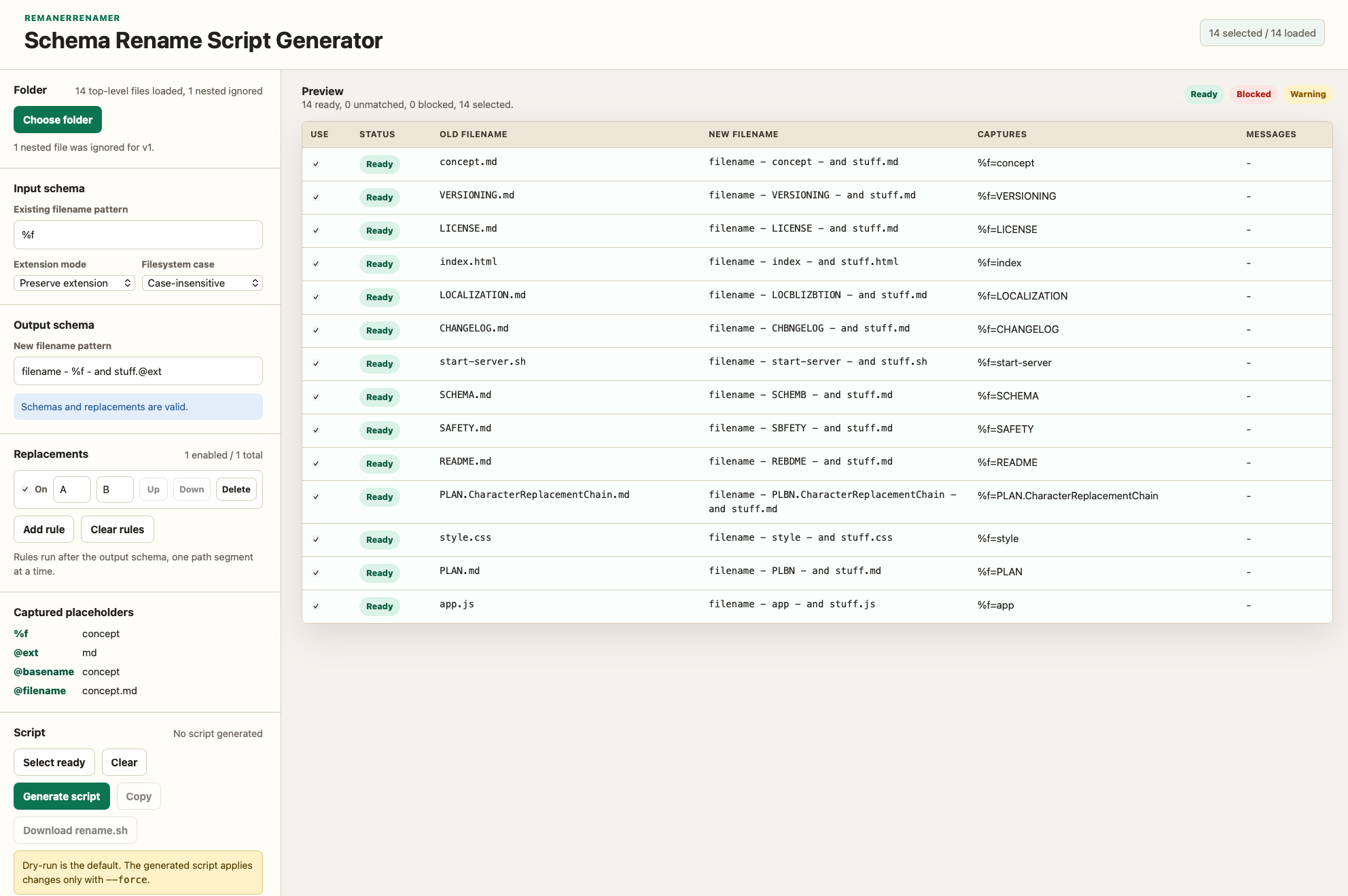
Use directly: https://schrankmonster.de/renamer/
Essentially what you do is:
- Choose the folder. It won’t upload anything but the filenames. Those will be displayed then on the right.
- define an input filename scheme. Use placeholders to your liking (%.)
- define an output filename scheme, ideally using your placeholders
- optionally define replacement pairs, like an a should become a B in the target filename.
- Preview the changes, decide which files to select and generate the script
- Download/Copy the script, and run it – it will not do anything but do a “dry run”
- if you are pleased with the dry run results, do “–force” and it’ll do the rename
This is a really elegant approach to batch renaming, Daniel. Most GUI-based tools tend to execute changes immediately, which always introduces a bit of anxiety when handling large asset batches or nested directories. Generating a Bash script for a dry-run first gives total control and safety back to the local terminal execution loop before committing any structural filename changes. Keeping it as a client-side static browser app is a huge plus too—clean, fast, and no unnecessary server-side processing overhead. Thanks for sharing the GitHub repository